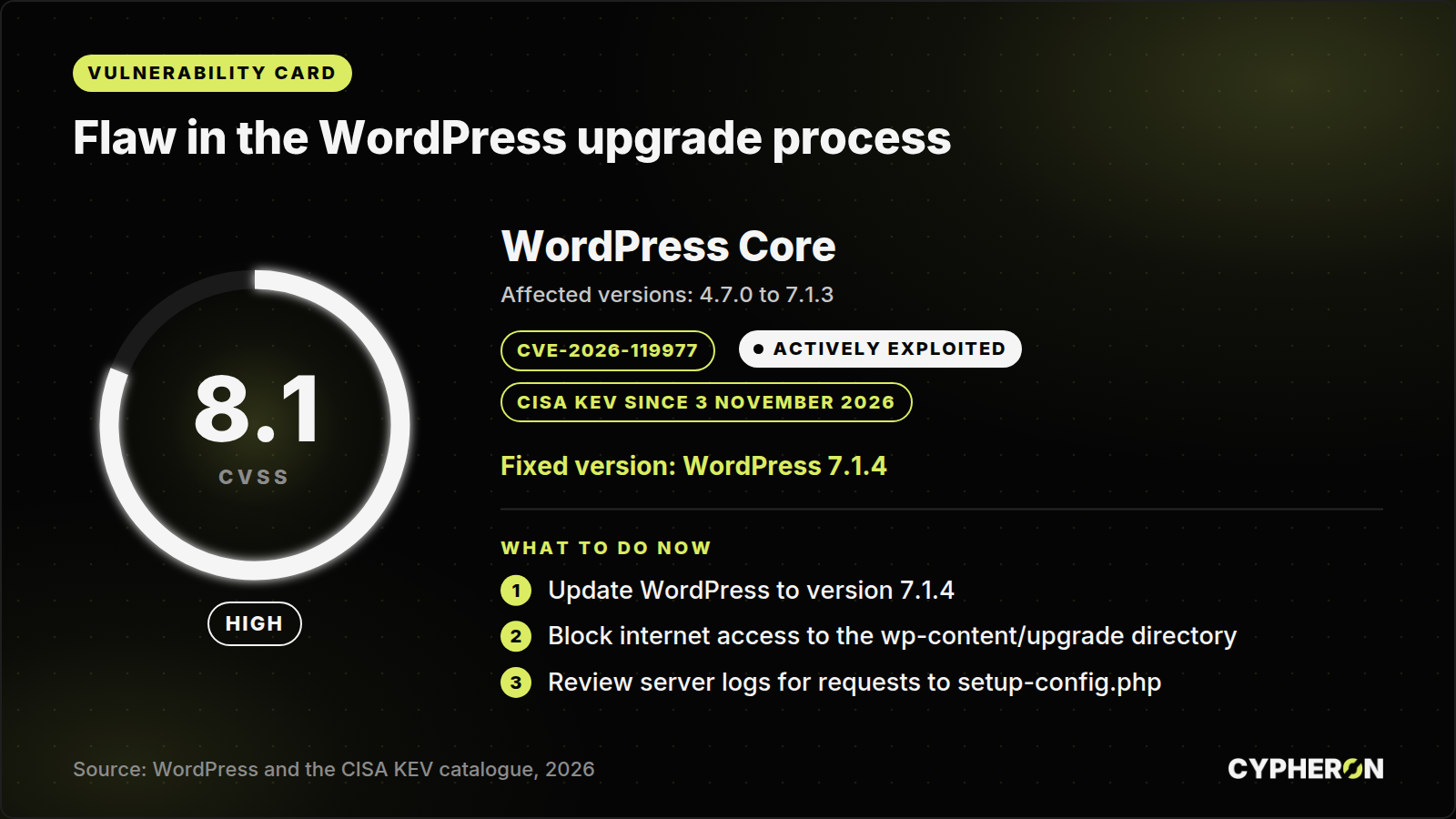
A flaw in the WordPress core upgrade process is being exploited. An attacker who hits a short moment while WordPress is unpacking new files can run code on the server without logging in. CISA added the flaw to its catalogue of exploited vulnerabilities on 3 November 2026. A fix has been available since 28 October 2026 in version 7.1.4.
What happened
WordPress is a content management system that runs a large share of company websites. When it installs a full core update, it unpacks the new files into a temporary directory under wp-content/upgrade. On many servers that directory has a predictable name and is reachable from the internet. The temporary copy also contains the WordPress installer (wp-admin/setup-config.php). An attacker who requests the installer at exactly the right moment can interact with the unpacked copy and progress to PHP code execution with the privileges of the web server. The flaw is tracked as CVE-2026-119977 and scored CVSS 8.1 by Wordfence, which maintains the CVE record.
The window is narrow and in lab conditions lasts only seconds. Attackers work around this by polling paths in the temporary directory repeatedly and waiting for someone to start an update. According to a report by The Hacker News on 30 October, Wordfence blocked 62,969 such attempts in 24 hours. The two largest sources polled small groups of sites for roughly 14.5 hours. CISA sets 6 November 2026 as the deadline for US federal agencies and does not record use in ransomware campaigns.
Does it affect you?
WordPress versions from 4.7.0 up to and including 7.1.3 are vulnerable. You can find the version on the dashboard home screen or in the file wp-includes/version.php.
- The site runs WordPress 7.1.4 or a patched release of an older branch: you are fine.
- The site runs an older version with automatic core updates enabled: it has most likely updated itself, but verify the version number.
- The site runs an older version and you update manually: the risk arises at the moment you start the update.
Do not forget the sites nobody remembers: campaign microsites, subsidiary websites, an old intranet or test copies that are reachable from the internet.
What to do now
- Update WordPress to version 7.1.4. According to its own announcement, WordPress backported the fix to every branch still eligible for security fixes, currently down to branch 4.7, and is shipping those releases gradually. If you stay on an older branch, check with WordPress that you have its latest patched release.
- If you cannot update straight away, remove internet access to the
wp-content/upgradedirectory or disable PHP execution inside it. According to Wordfence, the attack requires that this directory is reachable from the web and that PHP runs in it. - Do not start an update on an internet-facing site until you have handled the previous point. The upgrade window itself is the risky moment.
How to tell whether you have been compromised
According to the report by The Hacker News, Wordfence recommends reviewing web server logs for requests to PHP files under wp-content/upgrade, in particular to setup-config.php. It is also worth checking whether an unfamiliar administrator account, an unfamiliar plugin or a PHP file nobody on your team added has appeared. If you find any of these, treat it as an incident: take the site off the internet and restore a backup older than the first suspicious request.
No time to track this?
Vulnerability monitoring for internet-facing systems can be set up as part of normal operations rather than a one-off exercise. We help organisations set up asset inventories, vulnerability management and a response process for alerts like this one. If you need help, get in touch on our contact page. If you are dealing with a suspected attack right now, use the under attack page.
Sources: WordPress, release announcement for 7.1.4 · CISA, known exploited vulnerabilities catalogue · The Hacker News, exploitation attempt figures from Wordfence